01 · CONNECT
One place for what’s due.
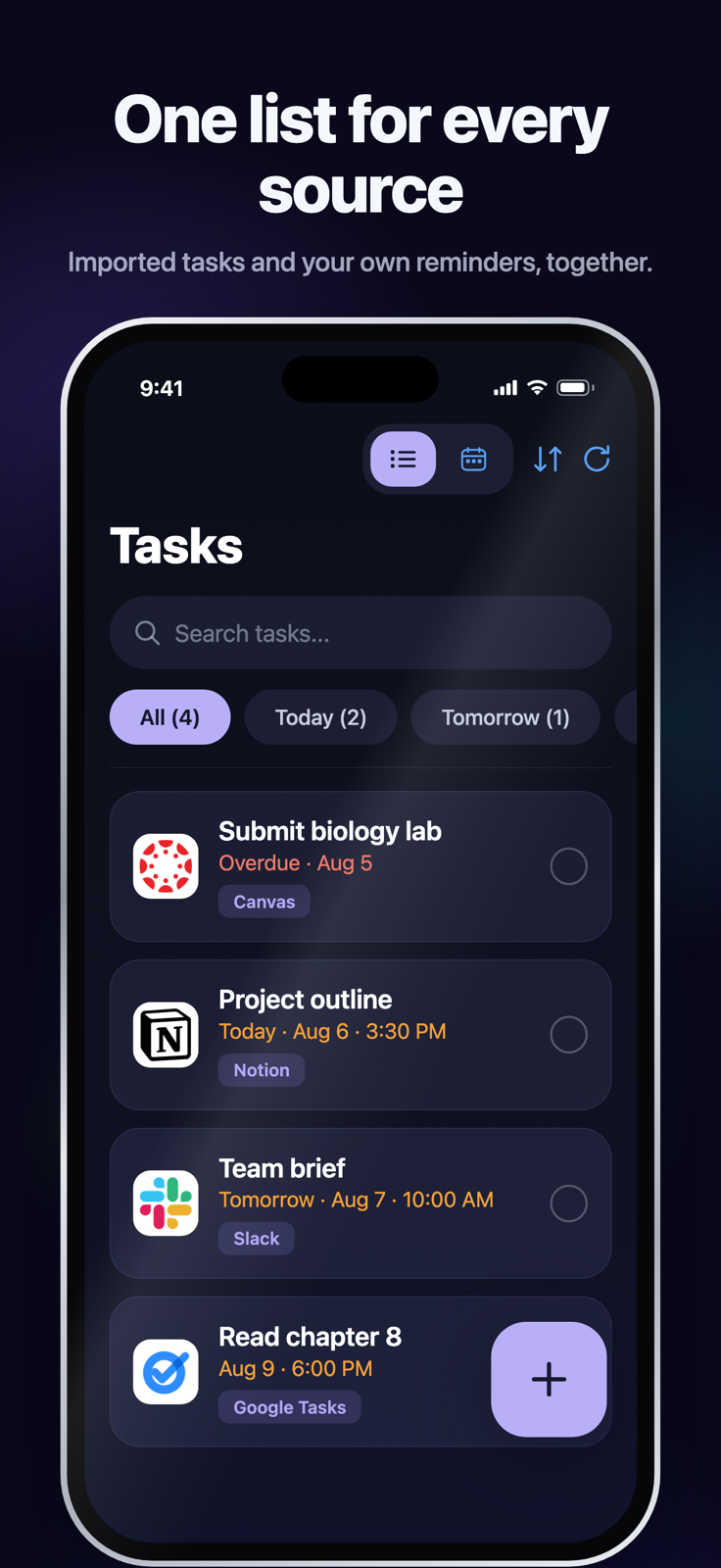
Add your own tasks or connect your existing tools. See overdue work first and upcoming deadlines next.
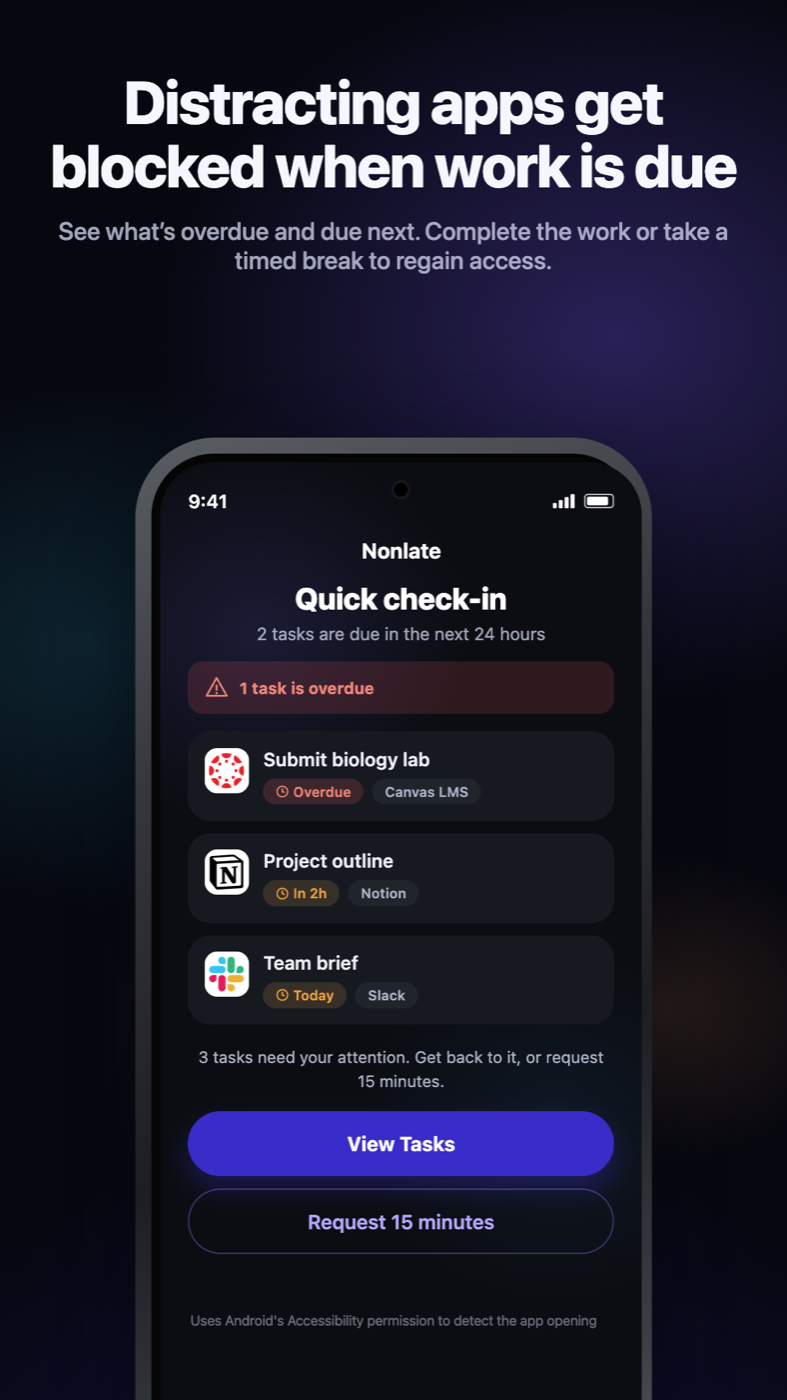
 Submit biology labCanvasOverdue
 Project outlineNotionDue in 2h
 Team briefSlackDue today
Stay ahead of what’s due.
Your tasks, deadlines, and plans—together. Nonlate connects the tools you already use and steps in when a chosen distraction gets ahead of unfinished work.


Start free. No Nonlate account required. See plans →
 your tools, together 1 overdue
See what’s overdue and due next. Complete the work or take a timed break to regain access.
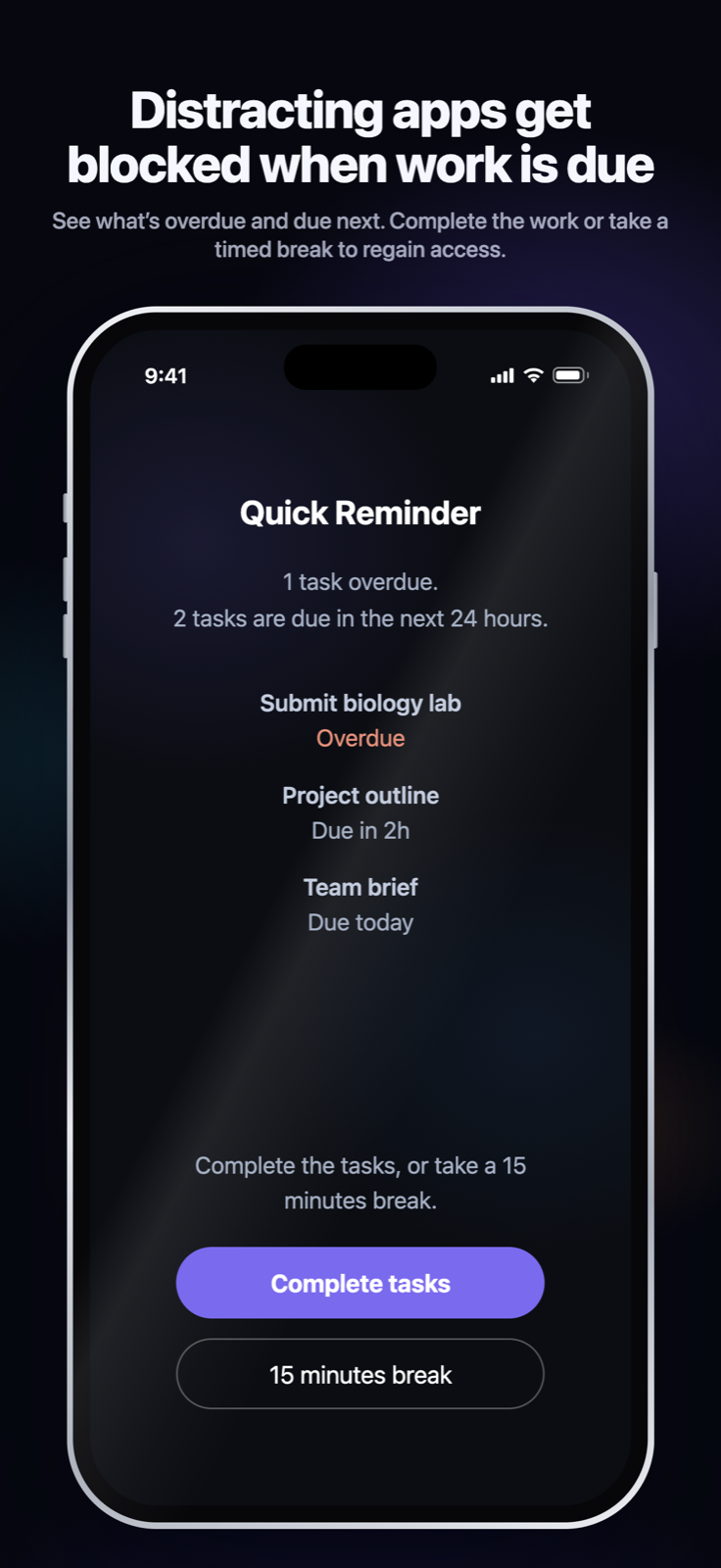
See what’s overdue and due next. Complete the work or take a timed break to regain access.
 Canvas
 Google Classroom
 Moodle
 Blackboard
 Brightspace
 SchoologyGoogle Calendar
 Outlook Calendar
 Calendar feeds
 Google Tasks
 Todoist
 TickTick
 Microsoft To Do
 Apple RemindersiOSNotion
 Asana
Asana Monday.com
 Trello
 ClickUp
 GitHub Issues
 Linear
 JiraSlack
 Microsoft Planner
 Microsoft Teams
Made for your real day. School. Work. Everything in between.
A little help at the right moment
Choose the distractions Nonlate can interrupt. When work is due, your next task gets the first word.
Just a website preview. Nothing on your device is blocked.A little Nonlate story
A tiny teammate steps between a wandering phone and the next scroll.
Silent brand animation, not an app recording.
A little character.
A clearer boundary.
Manual and synced tasks are overdue or due soon.
Example: Moments, an app you chose to protect.
Finds 3 unfinished tasks that match your due-work settings.
iOS shows its shield; Android shows the fuller task blocker.
Only unfinished due tasks trigger blocking—not calendar events. Want a firmer boundary? Optional Focus Lock moves quick breaks back into Nonlate.
One connected system
Keep what’s due, what’s planned, and what needs your focus working together.
01 · CONNECT
Add your own tasks or connect your existing tools. See overdue work first and upcoming deadlines next.
Submit biology labCanvasOverdueProject outlineNotionDue in 2hTeam briefSlackDue today02 · PLAN
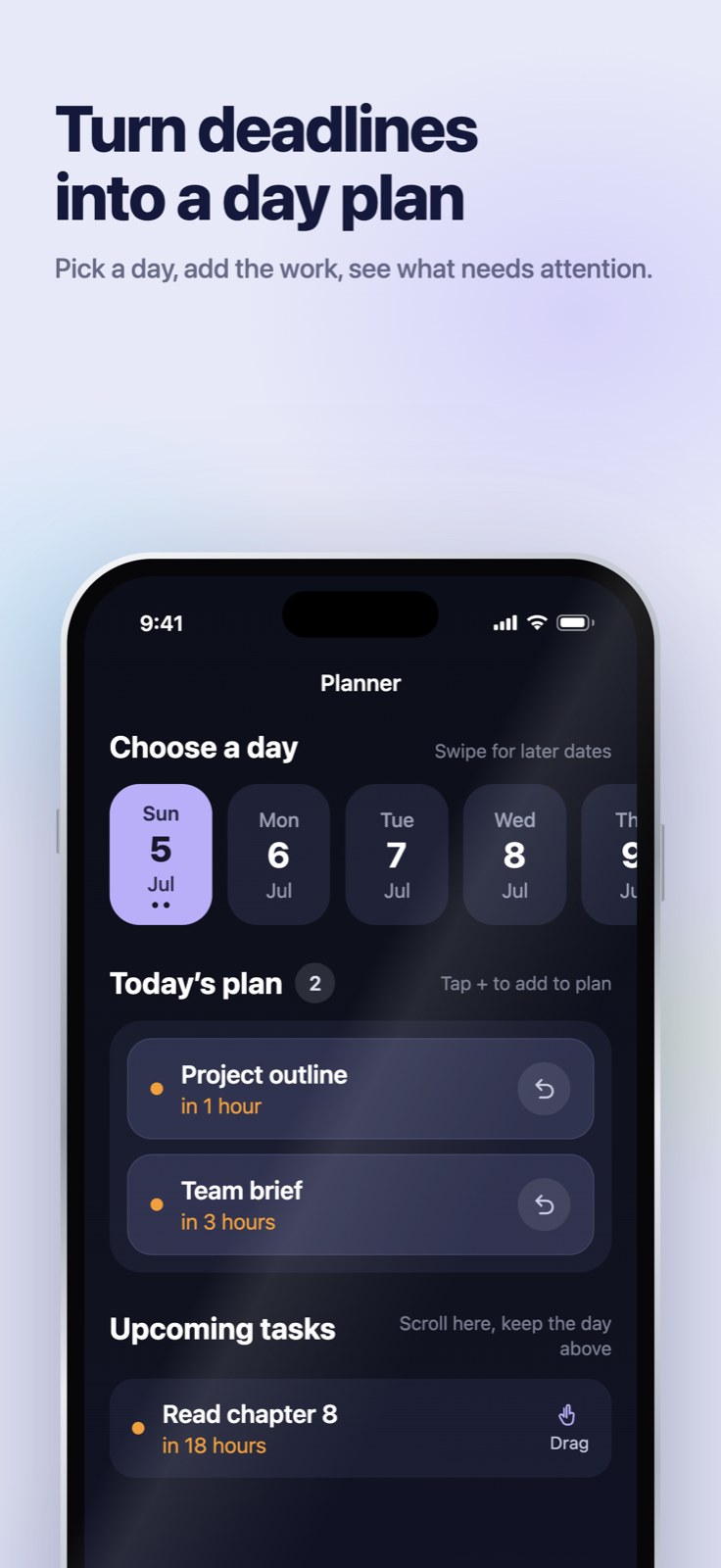
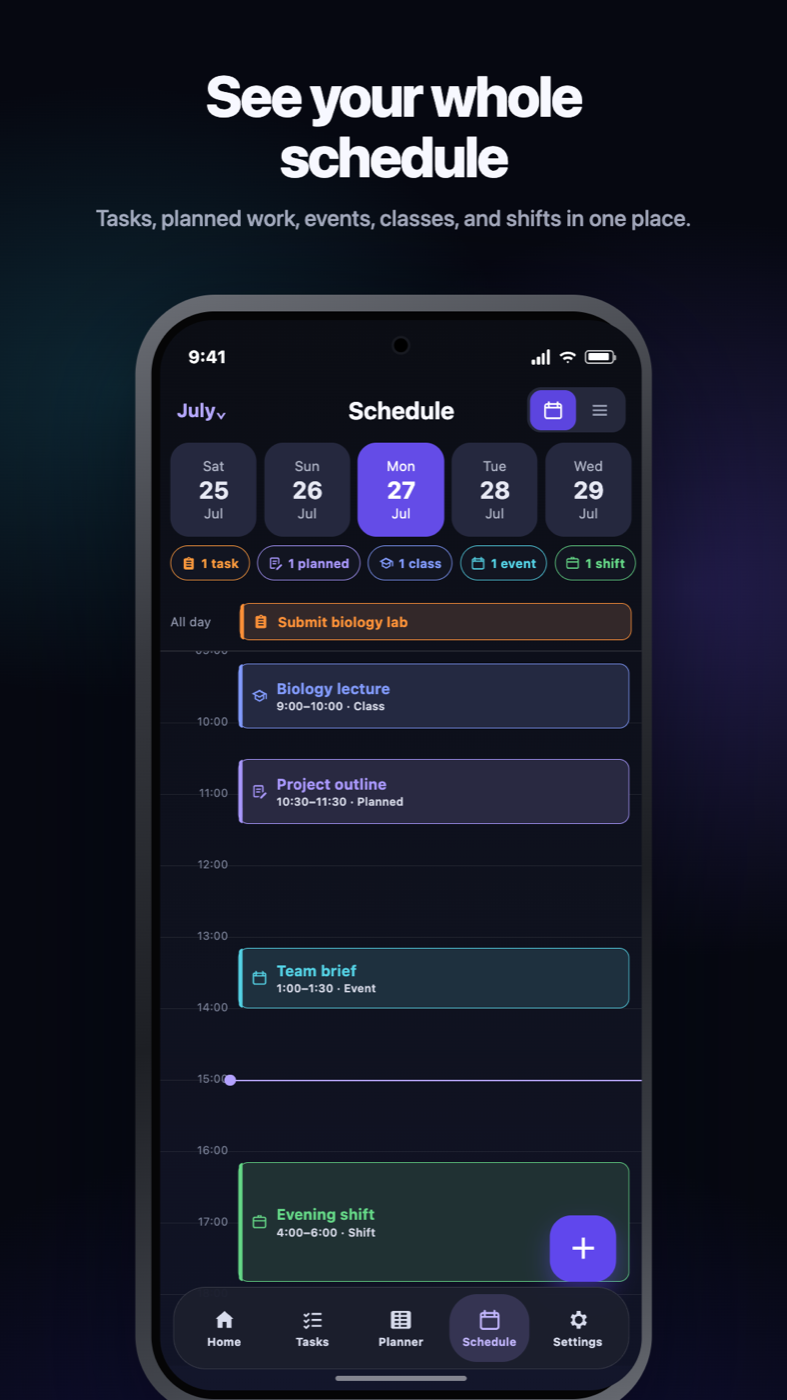
Choose a day in Planner. Then see planned work, deadlines, events, classes, and shifts together in Schedule.
03 · FOCUS
Your chosen distractions can wait. See the work that needs attention, then choose the task or supported break action.
 Nonlate


Can’t Miss Alarms use the strongest alarm presentation supported by your device.
Widgets and supported iPhone Live Activities keep the next step close.
Integrations
Keep using the services you love. Bring supported tasks and due dates into Nonlate without entering them twice.
A little Nonlate story
Our little deadline hunter catches a task before it disappears into Later. Your work stays yours to complete.
Silent brand animation, not an app recording.
CanvasGoogle ClassroomMoodleBlackboardBrightspaceSchoologyGoogle CalendarOutlook CalendarCalendar feedsGoogle TasksTodoistTickTickMicrosoft To DoApple RemindersiOSNotionAsanaMonday.comTrelloClickUpGitHub IssuesLinearJiraSlackMicrosoft PlannerMicrosoft TeamsSource availability, permissions, and sync speed vary by provider, platform, and plan. Imported calendar events appear in Schedule, but they are not due tasks and never trigger blocking.
Made for your phone
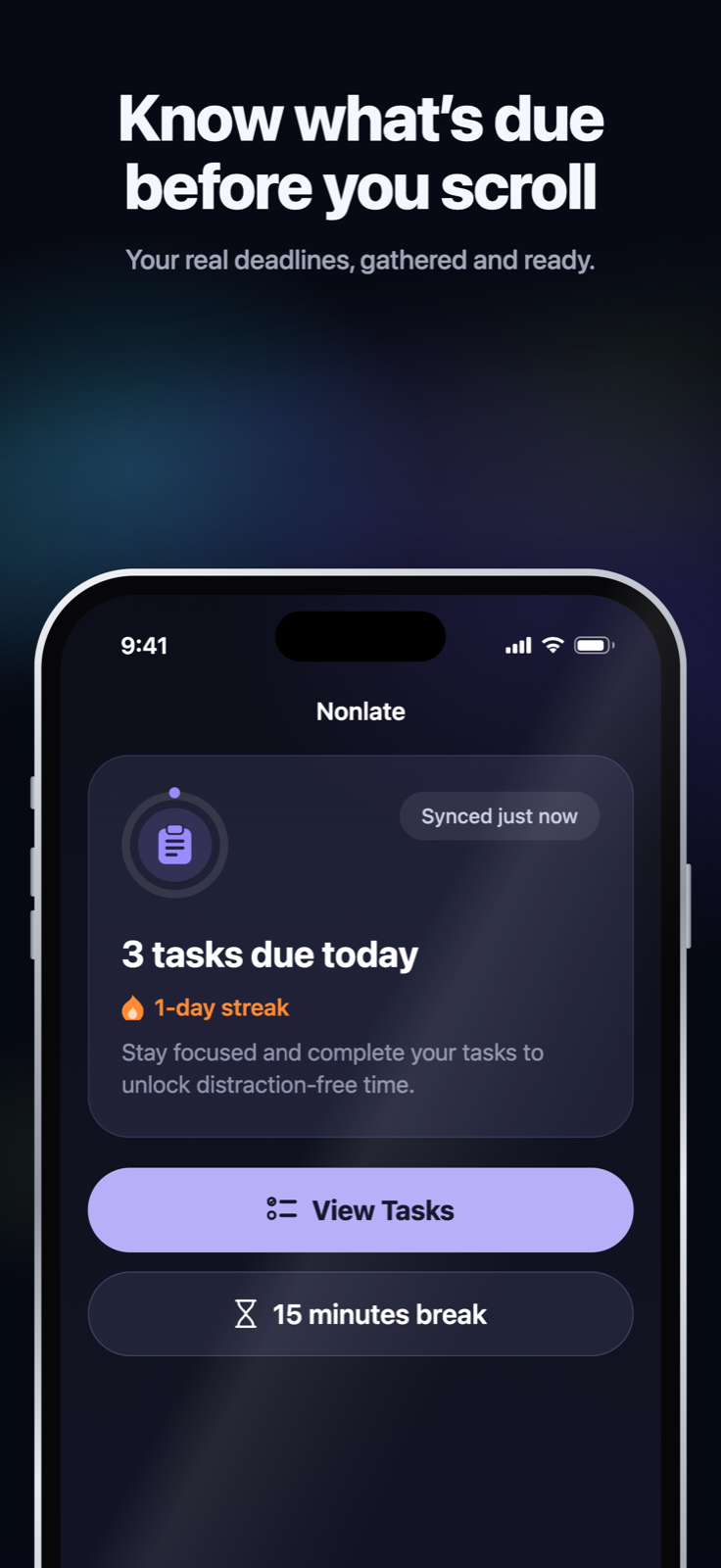
Actual iOS and Android screens, with platform-native details. Swipe through a few everyday views.
Swipe or use the arrows to explore all six screens.
Personal by design
Make the experience yours, from your colors to the words that bring you back.
On supported blocker screens, use the standard deadline prompt, write a custom message, or rotate Daily Wisdom in the tone you need.
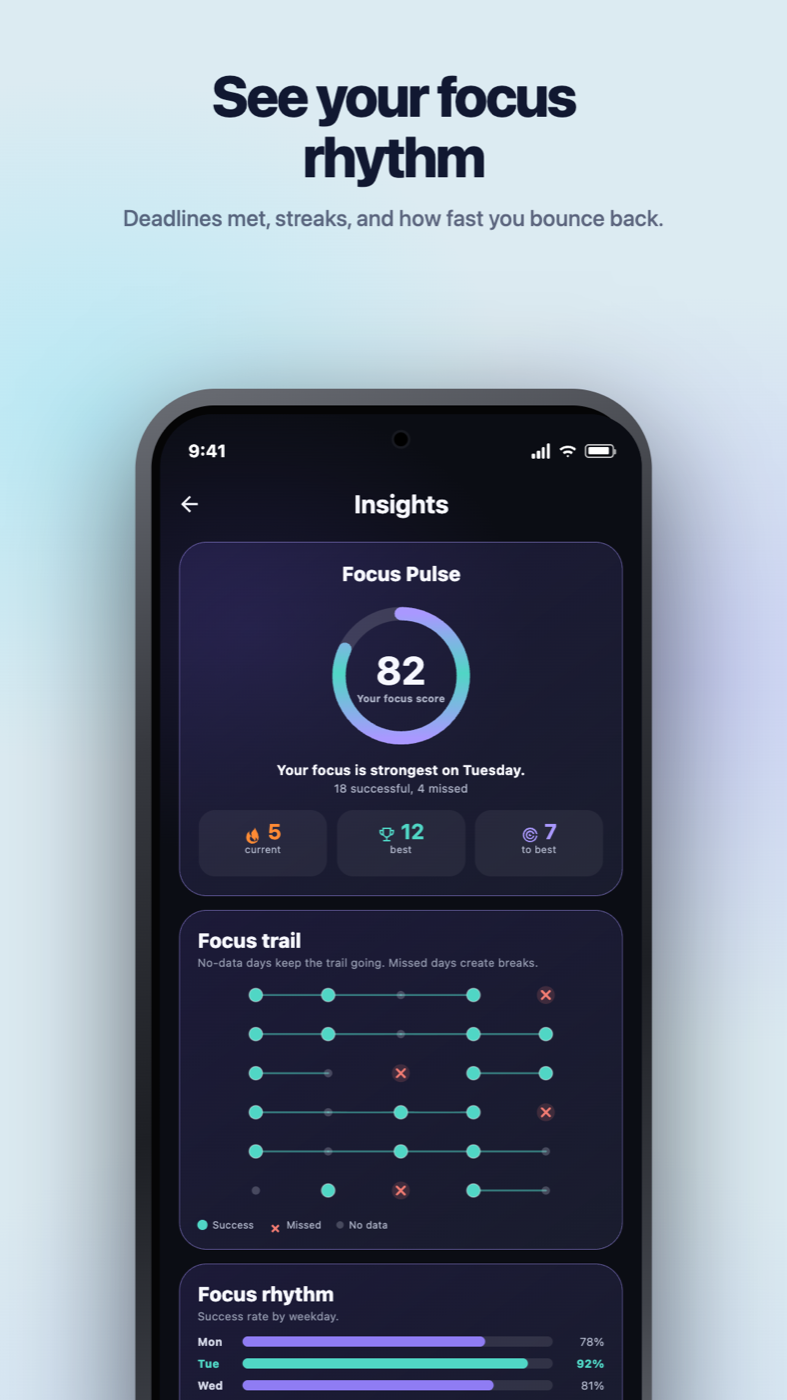
See on-time and missed due-work days, current and best streaks, your strongest weekdays, and how quickly you get back on track after a miss.
Choose one of 12 built-in themes or create custom colors. Your selected theme carries through the app and supported widgets.
+8 more themesCustom colors too
A plan for every level of focus
Manual tasks and core blocking stay free. Plus adds more connections and personalization. Pro brings everything together.
The essentials
Best for most people
Everything connected
Eligible subscribers can try Plus free for 7 days on Monthly or Yearly. After the trial, the selected paid plan renews automatically unless cancelled. Eligibility, the full localized renewal price, and the billing period are confirmed in your app store before subscribing.
Prices shown are USD reference prices; prices and availability may vary by region and platform. Manage or cancel subscriptions in the purchasing store. Features and sync timing vary by provider and device.
One source for 30 days. No payment or automatic charge. Change sources without restarting your trial. When the source trial ends, syncing pauses; imported tasks remain available for local completion and blocking.
Privacy by design
Nonlate processes task and calendar details only for services you choose to connect, stores credentials using platform-secure storage, and lets you disconnect sources or request deletion.
Read the full privacy policy →HTTPS/TLS in transit, Keychain on iOS, and Keystore-backed encrypted preferences on Android.
Google task and calendar data is used only to provide connected sync and Nonlate features, not advertising or generalized AI training.
Disconnect a source in Nonlate settings or request deletion through support at any time.
Questions, answered plainly
Clear answers, so you know what to expect.
Nonlate is a deadline-aware task planner and app blocker for iOS and Android. It brings manual tasks and deadlines from supported school, work, and task services into one plan, with calendars alongside them. When a selected distracting app opens while work is due, Nonlate puts those tasks first. You choose the protected apps, due window, and available break settings.
When you open an app you chose to protect, Nonlate checks unfinished tasks that are overdue or inside your due window. If matching work exists, it shows the iOS or Android blocker with the actions available on that platform. Focus Lock removes the quick-break option and adds a reflection step before a timed break.
No. Synced tasks stay connected to their original service, while tasks you create in Nonlate are manual tasks. Nonlate brings both into one due-work list, then uses that list in Planner, Schedule, widgets, alarms, insights, and blocking.
No. Calendar events can appear beside planned work, tasks, classes, and shifts in Schedule, but only unfinished due tasks participate in deadline-aware blocking.
No. During the source trial, Free syncs one external source when you open Nonlate or refresh. Plus supports hourly background sync, and Pro adds Live Sync for supported integrations within sync limits. Timing depends on provider permissions, device background limits, and service availability. Live Sync is not guaranteed for every provider or account role.
No. Both platforms check due work before selected distractions, but the operating systems allow different presentations. iOS uses Apple Screen Time shields. Android uses Accessibility only to detect when a selected app opens and can show a fuller blocker with task details.
Download Nonlate from the Apple App Store for iPhone or Google Play for Android. Public listings are available in the United States and Mozambique; availability and compatible devices may vary by country. The store listing shows the version currently available to you.
The 30-day source preview lets Free users connect one external source at a time without starting a paid subscription or an automatic charge. Separately, eligible customers can start a 7-day free trial of Plus Monthly or Plus Yearly through their app store. That subscription trial unlocks Plus features and automatically renews at the displayed monthly or yearly price unless cancelled before the trial ends. Eligibility, local pricing, and the renewal date are shown by the store before confirmation. The Plus offer does not add a Pro trial or restart the source-preview window.
Manual tasks and core blocking stay free. One source for 30 days. No payment or automatic charge. Change sources without restarting your trial.
No Nonlate account is required, and every plan is ad-free. Connecting a source may require signing in to that provider and granting its requested permissions. Paid subscriptions are optional, billed through your app store, and renew automatically unless cancelled through that store.
From all over the place. To one place.
Stay ahead of what’s due. Start free on iOS or Android, with no Nonlate account required.